
EV settings
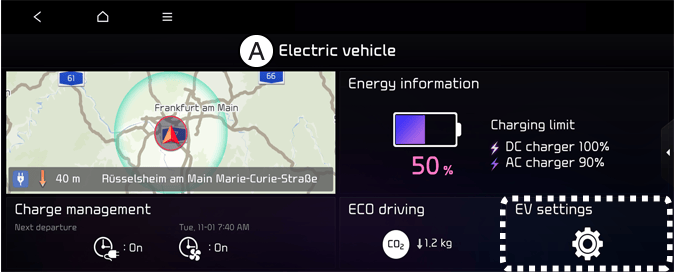
A: Electric vehicle
Select the icon on the screen. You can set the charging limit, charging current, battery conditioning mode and utility mode functions.
Charging limit
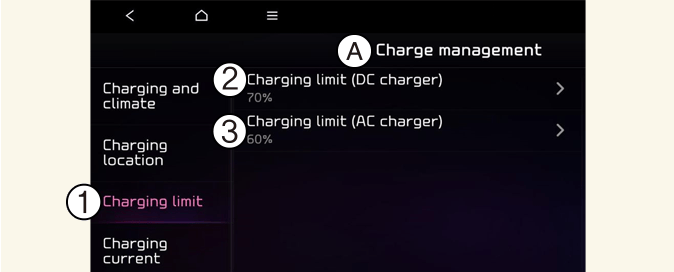
A: Charge management
-
Charging limit
-
DC charger
-
AC charger
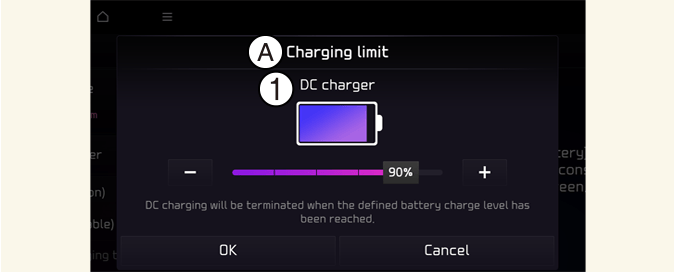
A: Charging limit
-
DC charger
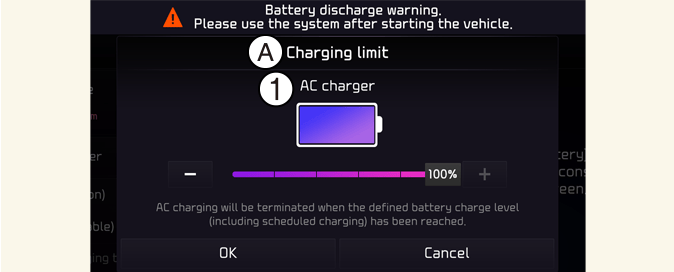
A: Charging limit
-
AC charger
-
The target battery charge level can be selected when charged with AC charger or DC charger.
-
The charging level can be changed by 10%.
-
If the target battery charge level is lower than the high voltage battery charge level, the battery will not be charged.

The infotainment system may change after software updates. For more information, refer to the manual provided in the infotainment system and the quick reference guide.
Charging current
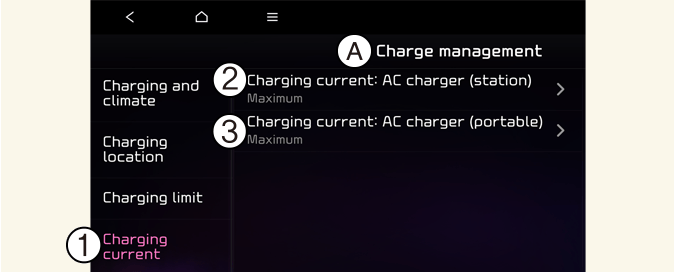
A: Charge management
-
Charging current
-
AC charger (station)
-
AC charger (portable)
-
You can adjust the charging current for an AC charger. Select an appropriate charging current.
-
If the charging process does not start or abruptly stops in the middle, reselect another proper current and re-try charging the vehicle.
-
Charging time varies depending on which charging current is selected.
The infotainment system may change after software updates. For more information, refer to the manual provided in the infotainment system and the quick reference guide.
Winter mode
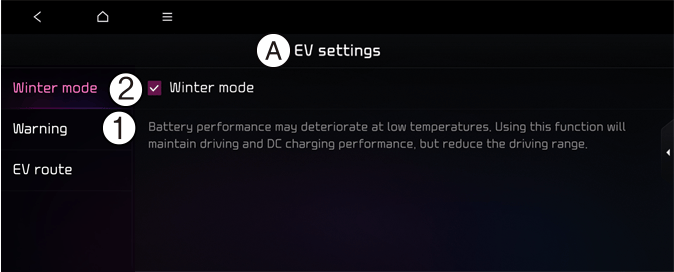
A: EV Settings
-
Winter mode
-
Winter mode
You can select or deselect Winter mode.
The Winter mode is efficient during thewinter time when the high voltage battery temperature is low.
This mode is recommended to improve driving and DC charging performances during winter by raising the battery temperature to an adequate level.
However, the driving distance may be reduced as the energy is required to increase battery temperature.
Also, if the battery temperature is low during driving or when scheduled air conditioner/heater is activated, this mode is operated to improve driving performance.
However, the mode is not operated to ensure driving distance when the battery level is low.
This mode is available for the vehicles equipped with the battery heater.
Utility mode
The high voltage battery is used instead of the 12V auxiliary battery for operating the convenient features of the vehicle. When driving is not necessary such as while camping or when stopping the vehicle for a long time, it is possible to use the electrical devices (audio, lights, air conditioner, heater, etc.) for long hours.
System setting and activation
The driver can activate the Utility mode function when the following conditions are satisfied.
-
The vehicle is in (
 ) mode and the gear is shifted to P (Park).
-
The EPB (Electronic Parking Brake) is not a malfunction.
-
Utility mode is selected on the instrument cluster screen.
When the system is activated:
-
The (
) indicator will turn off, and the UTIL indicator will appear on the cluster and the EPB is applied.
-
All electric devices are usable but the vehicle cannot be driven.
-
The EPB can be canceled by pressing the EPB switch.
Gear cannot be shifted out of P (Park). If a shift attempt is made, a warning message will be displayed on the infotainment system screen.
The Utility mode can be deactivated by pressing the START/STOP button to the OFF position. The function cannot be deactivated from the EV settings.
Range warning

A: EV settings
-
Warning
-
Range warning
If the destination set in the navigation cannot be reached with the remaining battery, a warning message is displayed.
EV route
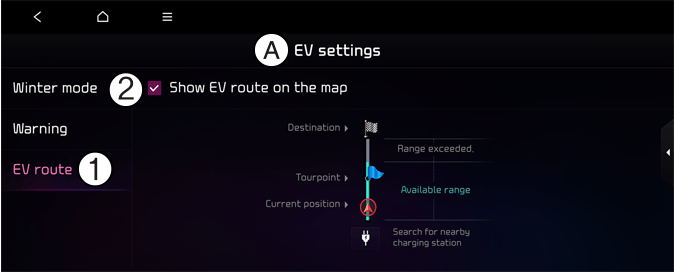
A: EV settings
-
EV route
-
Show EV route on the map
You can apply electric car-related functions for guiding the route. It allows you to check the distance that you can go with the current battery amount. Travelable and non-travelable sections on your way to the destination are displayed on the screen. The search station icon is also displayed so that you can find nearby stations immediately.