
Surround View Monitor settings
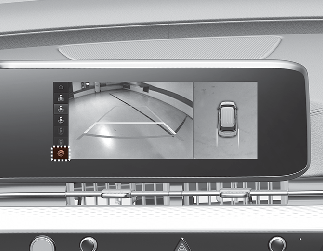
You can change Surround View Monitor 'Display Contents' or 'Display Settings' by touching the setup icon ( ) on the screen while Surround View Monitor is operating, or selecting 'Driver Assistance → Parking Safety → Camera Settings'
from the Settings menu while the engine is on.
) on the screen while Surround View Monitor is operating, or selecting 'Driver Assistance → Parking Safety → Camera Settings'
from the Settings menu while the engine is on.
-
Display Contents: To change the settings of Top view parking guidance, Parking guide in rear view, and Parking distance warning function.
-
Display Settings: To change the screen's brightness and contrast.

The settings menu on your vehicle may not be necessarily be available due to the selected options or regions.
Surround View Monitor Auto On
With the engine on, select 'Driver Assistance → Parking Safety → Surround View Monitor Auto On' from the cluster or infotainment system Settings menu to use the function.
To use this function, refer to More Details.
Parking/View button
-
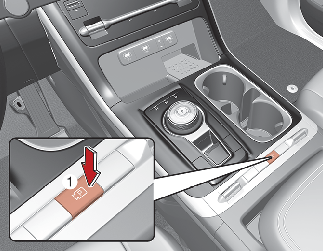
Press the Parking/View button (1) to turn on Surround View Monitor. Press the button again to turn off the function.
-
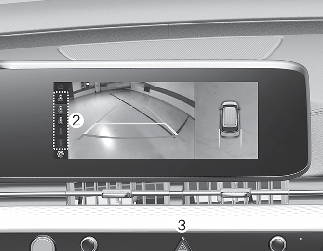
Other view modes can be selected by touching the view icons (2) on the Surround View Monitor screen.
-
When one of the infotainment system button (3) is pressed without the gear in R (Reverse), Surround View Monitor will turn off.
Top View Parking Guidance
-
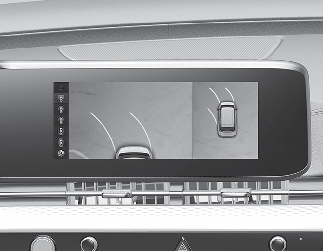
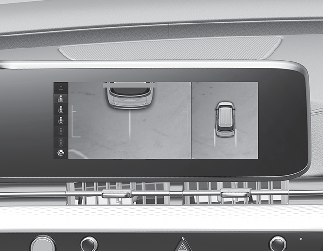
When the 'Top View Parking Guidance' is selected, parking guidance is displayed on the right side of the Surround View Monitor screen.
-
You may see the front top view or the rear top view when using front top view and Top View Parking Guidance.
-
The horizontal guideline of the Top View Parking Guidance shows the distance of tailgate open and 2 m (6.6 ft.) from the vehicle.
Rear View Parking Guidance
-
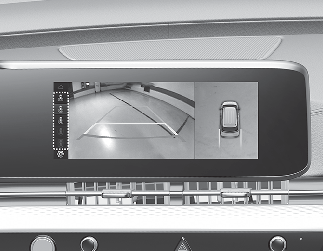
When the 'Rear View Parking Guidance' is selected, parking guidance is displayed in the rear view.
-
The horizontal guideline of the Rear View Parking Guidance shows the distance of 0.5 m (1.6 ft.), 1 m (3.3 ft.) and 2.3 m (7.6 ft.) from the vehicle.
Parking Distance Warning
-
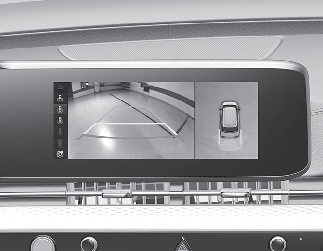
When the 'Parking Distance Warning' is selected, parking distance warning is displayed on the right side of the Surround View Monitor screen.
-
The image will be displayed only when Parking Distance Warning is warning the driver.