
Highway Driving Assist operation
Basic function
Highway Driving Assist display and control
You can see the status of the Highway Driving Assist operation in the Driving Assist view on the cluster. Refer to More Details.
Highway Driving Assist will be displayed as below depending on the status of the function.
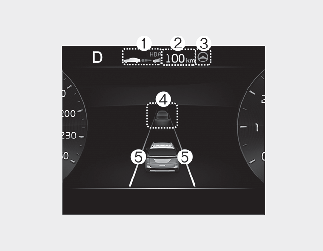
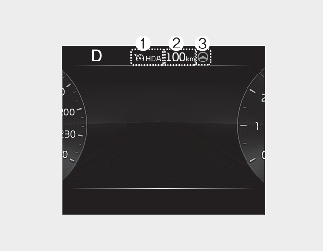
-
Highway Driving Assist indicator, whether there is a vehicle ahead and the selected distance level are displayed.
-
Highway Driving Assist indicator
-
Green (
 ): Operating state
-
White (
): Standby state
-
-
-
Set speed is displayed.
-
Lane Following Assist indicator displayed.
-
Whether there is a vehicle ahead and the target vehicle to vehicle distance are displayed.
-
Whether the lane is detected or not is displayed.

-
For more details on the display, refer to More Details.
-
For more details on the display, refer to More Details.
Highway Driving Assist operating
Highway Driving Assist will operate when entering or driving on the main road of highways (or motorways), and satisfying all the following conditions:
-
Lane Following Assist is operating
-
Smart Cruise Control is operating
-
While driving on the highway (or motorway), if Smart Cruise Control starts operating, Highway Driving Assist will operate.
-
When entering the main roads of highways (or motorways) while Smart Cruise Control is operating, Driving Assist will not turn on if Lane Following Assist is turned off.
Restarting after stopping
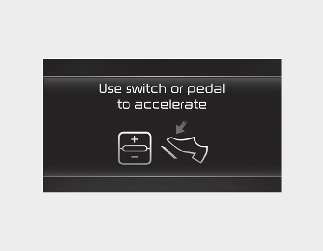
When Highway Driving Assist is operating, your vehicle will stop if the vehicle ahead of you stops. Also, if the vehicle ahead
of you starts moving approximately within 30 seconds after the stop, your vehicle will start as well. In addition, after the
vehicle has stopped and approximately 30 seconds have passed, the 'Use switch or pedal to accelerate' message will appear
on the cluster. Depress the accelerator pedal or operate the + switch, - switch or ( ) switch to start driving.
Hands-off warning
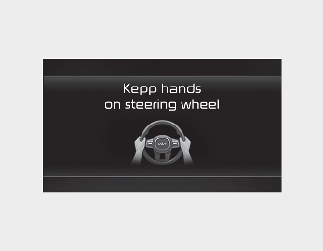
If the driver takes their hands off the steering wheel for several seconds, the warning message will appear and an audible warning will sound in stages.
-
First stage: Warning message
-
Second stage: Warning message (red steering wheel) and audible warning
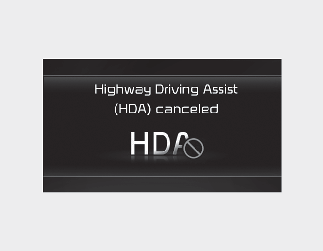
If the driver still does not have their hands on the steering wheel after the hands-off warning, the warning message will appear and Highway Driving Assist and Lane Change Assist will be automatically canceled.
Highway Lane Change Assist standby
When the Smart Cruise Control is temporarily canceled while Highway Driving Assist is operating, Highway Driving Assist will be in the standby state. At this time, Lane Following Assist will operate normally.
The images or colors may be displayed differently depending on the specifications of the instrument panel or theme.