

Front-view
 OMQ4A055117 |
 OLQ2A105058 |
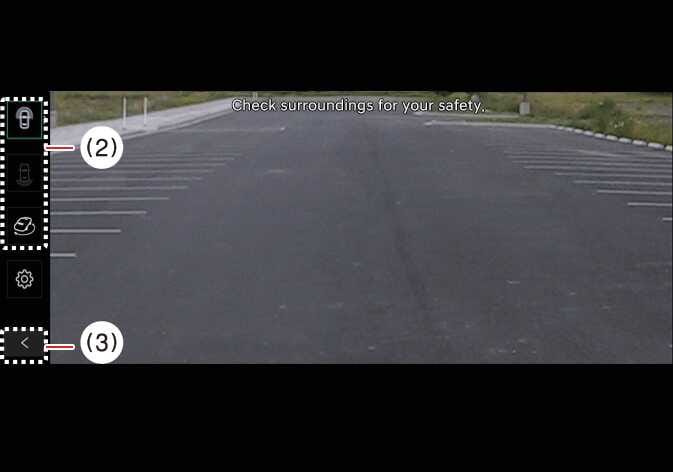
(2) View switching button
(3) back button
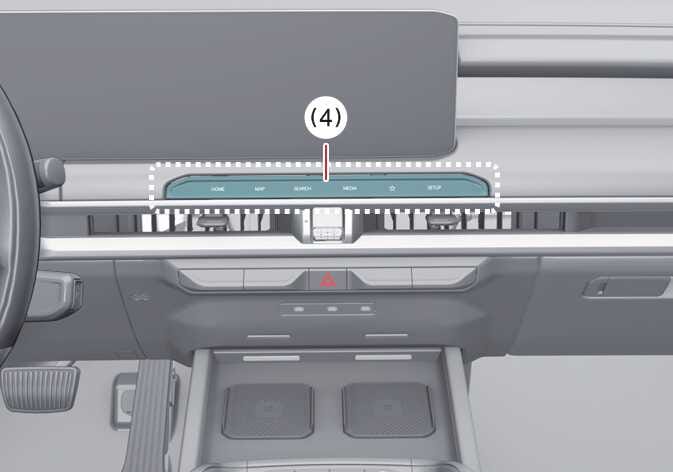
(4) infotainment system operation button
The front-view function assists with safe driving by displaying activity ahead of the vehicle on the navigation system, according to your selected settings.
Parking
The Surround View Monitor’s Front-view function activates when you are parking under the following conditions:
-
Your vehicle’s gear is in P (Park), N (Neutral), or D (Drive) at a speed below 6 mph (10 km/h), and you press the Parking/View button (1).
-
You shift the gear from R (Reverse) to N (Neutral) or D (Drive) at a speed below 6 mph (10 km/h).
-
Forward Parking Distance Warning warns you while the gear is set to D (Drive).
*(If you have selected on the infotainment system screen).
Press the view switching button (2) on the Surround View Monitor to select Top View, Front View, Side View, or Wide View.
The Surround View Monitor’s front-view function turns OFF when you are parking under the following conditions:
-
You shift the gear to P (Park) or R (Reverse).
-
You press the Parking/View button (1).
-
You press the back button (3) on the Surround View Monitor screen.
-
You press the infotainment system power button (4).
-
You drive above 6 mph (10 km/h).
When the Surround View Monitor Front View activates, the last view you used displays.