

3D View function
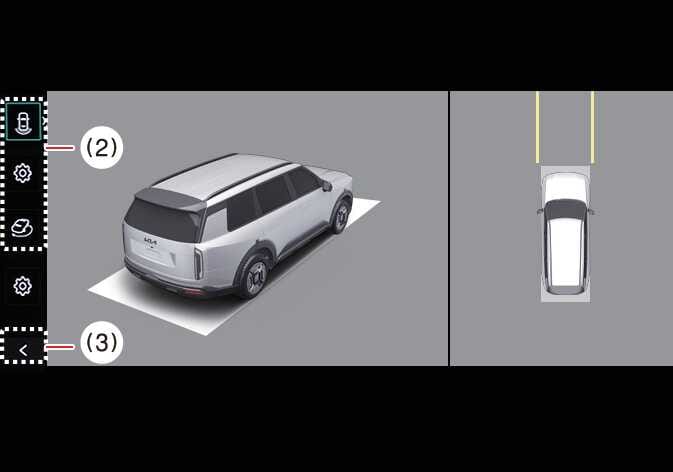 OLQ2A005078 |
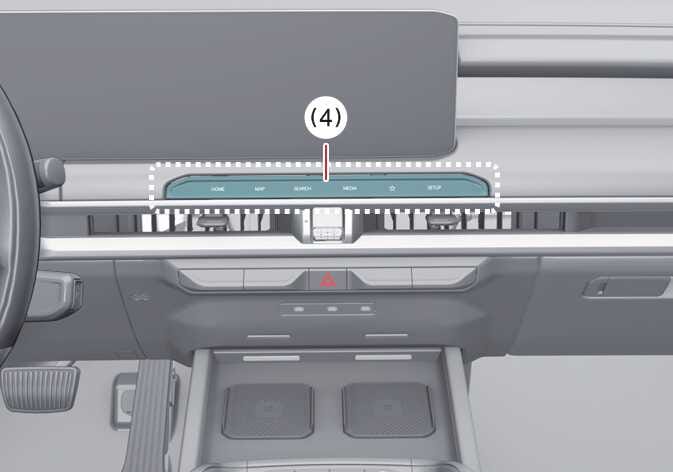 OLQ2A105058 |
(2) View switching button
(3) back button
(4) infotainment system operation button
The Surround View Monitor’s 3D View function displays the vehicle from various angles. To select the angle, press the 3D View icon on the Surround View Monitor. To reset the angle, press the 3D View icon again.
The Surround View Monitor’s 3D View function activates under the following conditions:
-
You shift the gear to P (Park), N (Neutral), or D (Drive) at speeds below 6 mph (10 km/h).
-
You press the view switching button (2) to select 3D view while the gear is in R (Reverse) and Surround View Monitor is operating.
The Surround View Monitor’s 3D View functions turns OFF when you are parking under the following conditions:
-
You shift the gear from N (Neutral) or D (Drive) to P (Park).
-
You press the Parking/View button (1).
-
You press the back button (3) on the Surround View Monitor screen.
-
You press the infotainment system power button (4).
-
You drive above 6 mph (10 km/h).
-
You shift the gear from R (Reverse) to P (Park).
When the vehicle is in R (Reverse), the 3D view function of the Surround View Monitor will turn off under the following conditions:
-
Shifting to P (Park)
-
The 3D View does not display parking guidelines.
-
The Top View screen, which displays the Front View, Rear View, or 3D View, converts the original footage captured by your vehicle’s 4 wide-view cameras to provide a 360-degree image of the vehicle from above.
-
Top View does not display when you select Front or Rear Wide View.
-
Pinch the Top View area to zoom in or out.