
Rear climate control
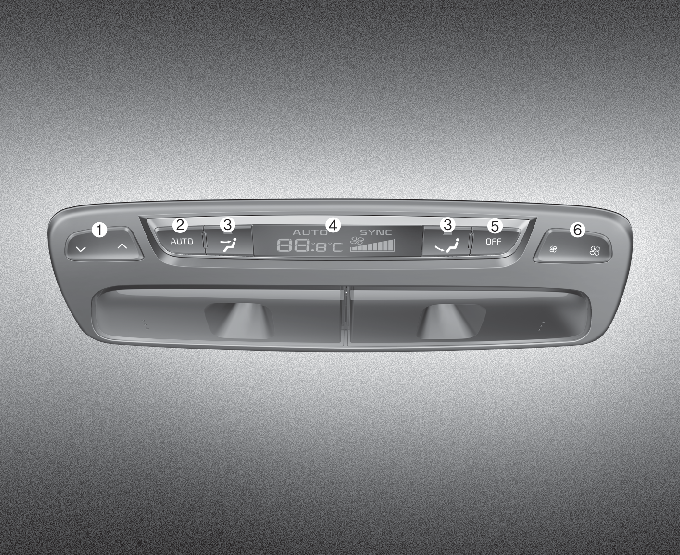
-
Rear temperature control button
-
Rear AUTO button
-
Rear A/C display
-
Rear air conditioning OFF button
-
Rear fan speed control button
-
When the “SYNC” is ON, the rear temperature, rear fan speed and rear mode is controlled automatically by the front climate control system.
-
If you operate the rear temperature, rear fan speed or rear mode on the rear climate control panel, the corresponding rear temperature, rear fan speed or rear mode will operate independently regardless of the front climate control system operation.
Rear fan speed control
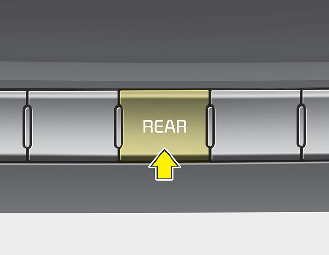
Press the REAR button and press the rear fan speed control button on the audio or multimedia screen. To change the fan speed,
press ( ) the button for higher speed, or press the (
 ) the button for lower speed.
The fan speed is displayed on the screen.
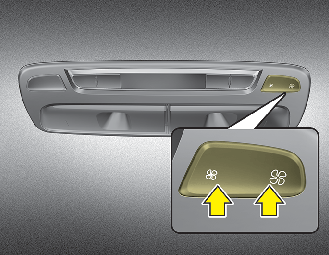
Adjust the fan speed by pressing the rear fan speed control button. To change the speed, press the button () for higher speed, or press the button () for lower speed. The fan speed is displayed on the screen.
Rear temperature control
Press the REAR button and adjust the temperature on the audio or multimedia screen. Press the button (+) for warmer air or press the button (-) for cooler air.
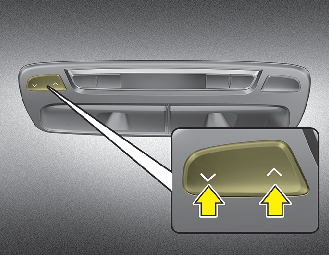
Adjust the temperature by pressing the rear temperature control button. To change the temperature, press the button ( ) for warmer air or press the button (
 ) for cooler air. The temperature is displayed on the screen.
OFF mode
To turn off the rear climate control system, press the REAR button located on the front climate control panel and OFF button on the audio or multimedia screen.
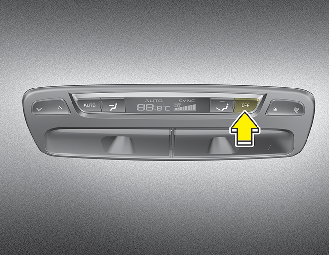
To turn off the rear climate control system, press the rear blower OFF button
Rear mode selection
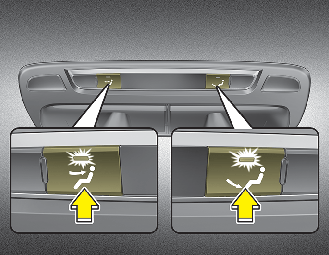
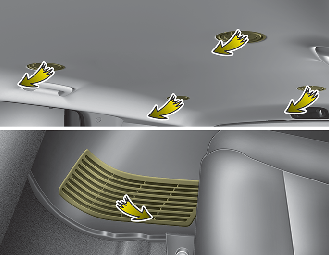
The rear mode is selected by pressing the rear mode selection button on the rear control panel as follows:
-
 : Rear air blows from the upper vents.
-
 : Rear air blows from the upper vents on the rear ceiling and the lower vents.
-
 : Rear air blows from the right side lower vents.
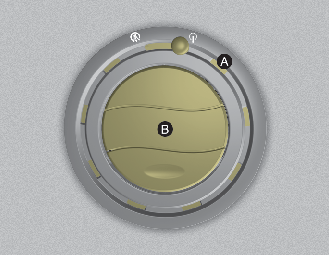
-
 : Air discharged from [A] spreads over a wider area.
-
 : Air discharged from [B] has a centered and direct flow.
You can set the direction of wind by adjusting the knob of air vents located above the 2nd-row and 3rd-row seats. Adjust the outer and central parts of the air vent to the desired positions.
|
Outer part of the vent (A) |
Central part of the vent (B) |
Description |
|
|---|---|---|---|
|
Open |
|
Close |
The wind spreads widely around the passenger. However, the air volume may decrease. |
|
Open |
|
Open |
The air is spread widely towards and around the passenger. |
|
Close |
|
Open |
The wind blows only towards the passenger. |


If all the vents are closed, it may cause some noise. Always open 2 vents or more.