
Smart Cruise Control Vehicleto-Vehicle Distance
To set Vehicle-to-Vehicle Distance
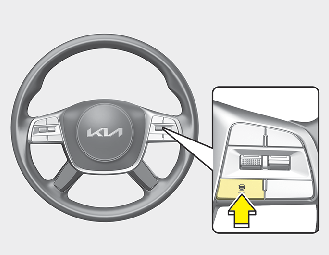
When the Smart Cruise Control system is ON, you can set and maintain the distance from the vehicle ahead of you without pressing the accelerator or brake pedal.
Each time the button is pressed, the vehicle to vehicle distance changes as follows:
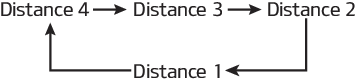
For example, if you drive at 90 km/h (56 mph), the distance maintain as follows:
Distance 4 - approximately 52.5 m
Distance 3 - approximately 40 m
Distance 2 - approximately 32.5 m
Distance 1 - approximately 25 m

The distance is set to the last set distance when the system is used for the first time after starting the engine.
When the lane ahead is clear:
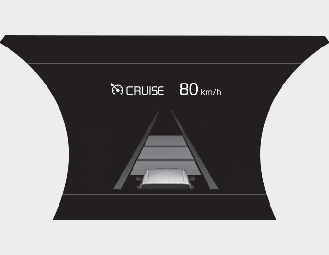
The vehicle speed will maintain the set speed.
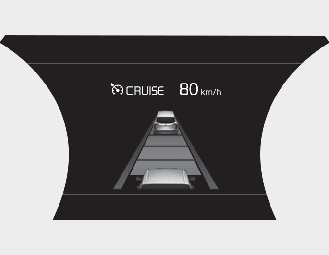
When there is a vehicle ahead of you in your lane:
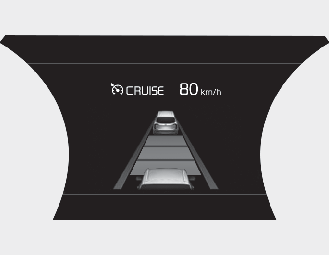
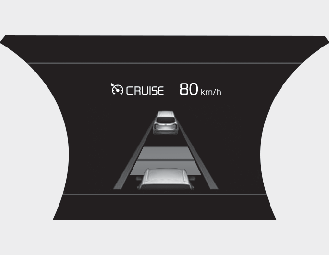
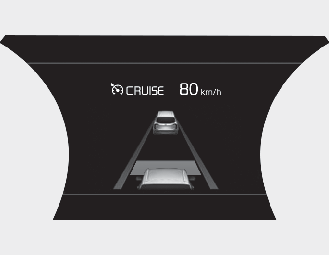
-
Your vehicle speed will slow down or speed up to maintain the selected distance. (A vehicle will appear in front of your vehicle in the LCD display only when there is an actual vehicle in front of you.)
-
If the vehicle ahead speeds up, your vehicle will travel at a steady cruising speed after accelerating to the set speed.

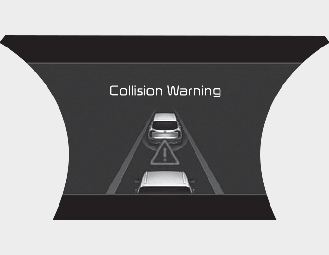
When using the Smart Cruise Control System:
-
The warning message appears and warning chime sounds if the vehicle is unable to maintain the selected distance from the vehicle ahead.
-
If the warning message appears and warning chime sounds, depress the brake pedal to actively adjust the vehicle speed, and the distance to the vehicle ahead.
-
Even if the warning message does not appear and warning chime does not sound, always pay attention to the driving conditions to prevent dangerous situations from occurring.

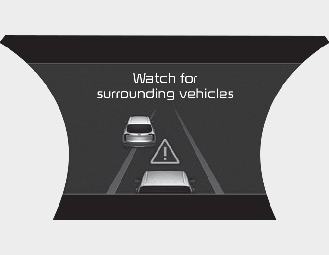
If the vehicle ahead (vehicle speed: less than 30km/h) disappears to the next lane, the warning chime will sound and a message "Watch for surrounding vehicles" will appear. Adjust your vehicle speed for vehicles or objects that can suddenly appear in front of you by depressing the brake pedal.
Always pay attention to the road ahead.
In traffic situation
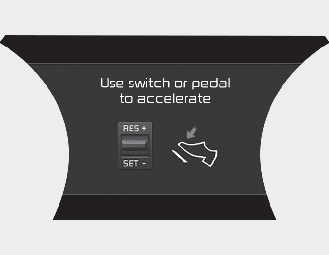
Use switch or pedal to accelerate
-
In traffic, your vehicle will stop if the vehicle ahead of you stops. Also, if the vehicle ahead of you starts moving, your vehicle will start as well. However, if the vehicle stops for more than 3 seconds, you must depress the accelerator pedal or push up the toggle switch (RES+) or push down the toggle switch (SET-) to start driving.
-
If you push the smart cruise control toggle switch (RES+ or SET-) while Auto Hold and advanced smart cruise control is operating the Auto Hold will be released regardless of accelerator pedal operation and the vehicle will start to move. The AUTO HOLD indicator changes from green to white. (if equipped with EPB (Electronic Parking Brake))
Sensor to detect distance to the vehicle ahead
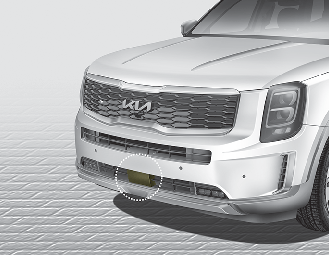
The Smart Cruise Control uses a sensor to detect distance to the vehicle ahead.
If the sensor is covered with dirt or other foreign matter, the vehicle to vehicle distance control may not operate correctly.
Always keep the sensor clean.
Warning message
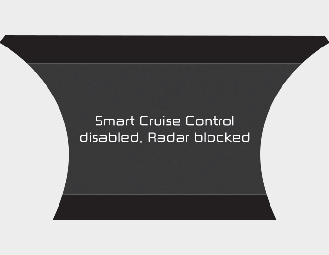
Smart Cruise Control disabled. Radar blocked
When the sensor lens cover is blocked with dirt, snow, or debris, the Smart Cruise Control system operation may stop temporarily. If this occurs, a warning message will appear on the LCD display. Remove any dirt, snow, or debris and clean the radar sensor lens cover before operating the Smart Cruise Control system.
The Smart Cruise Control system may not properly activate, if the radar is totally obstructed, or if any substance is not detected after turning ON the engine (e.g. in an open terrain).
-
Do not apply license plate frame or foreign objects such as a bumper sticker or a bumper guard near the radar sensor. Doing so may adversely affect the sensing performance of the radar.
-
Always keep the radar sensor and lens cover clean and free of dirt and debris.
-
Use only a soft cloth to wash the vehicle. Do not spray pressurized water directly on the sensor or sensor cover.
-
Be careful not to apply unnecessary force on the radar sensor or sensor cover. If the sensor is forcibly moved out of proper alignment, the Smart Cruise Control system may not operate correctly. In this case, a warning message may not be displayed.
Have the vehicle inspected by a professional workshop. Kia recommends to visit an authorized Kia dealer/service partner.
-
If the front bumper becomes damaged in the area around the radar sensor, the Smart Cruise Control system may not operate properly. Have the vehicle inspected by a professional workshop. Kia recommends to visit an authorized Kia dealer/service partner.
-
Use only a genuine Kia sensor cover for your vehicle. Do not paint anything on the sensor cover.
Check Smart Cruise Control System
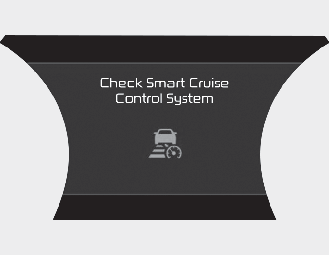
The message will appear when the vehicle to vehicle distance control system is not functioning normally.
In this case, have the system checked by a professional workshop.
Kia recommends to visit an authorized Kia dealer/service partner.
Limitations of the system
The Smart Cruise Control system may have limits to its ability to detect distance to the vehicle ahead due to road and traffic conditions.
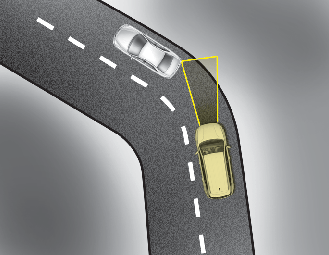
On curves
-
The Smart Cruise Control system may not detect a moving vehicle in your lane, and then your vehicle could accelerate to the set speed. Also, the vehicle speed will decrease when the vehicle ahead is recognized suddenly.
-
Select the appropriate set speed on curves and apply the brakes or accelerator pedal if necessary.
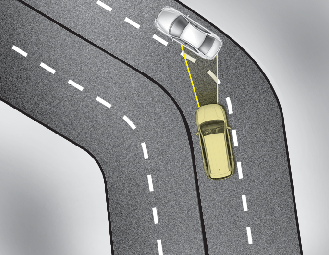
Your vehicle speed can be reduced due to a vehicle in the adjacent lane.
Apply the accelerator pedal and select the appropriate set speed. Check to be sure that the road conditions permit safe operation of the Smart Cruise Control.
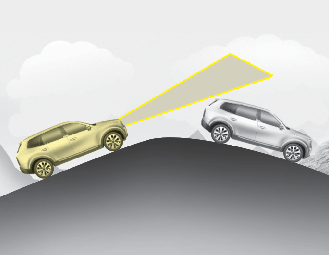
On inclines
-
During uphill or downhill driving, the Smart Cruise Control system may not detect a moving vehicle in your lane, and cause your vehicle to accelerate to the set speed. Also, the vehicle speed will rapidly decrease when the vehicle ahead is recognized suddenly.
-
Select the appropriate set speed on inclines and apply the brake or accelerator pedal if necessary.
Lane changing
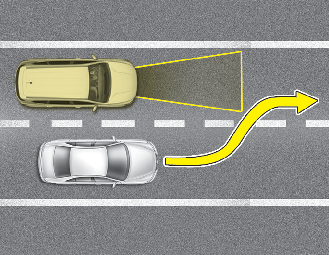
-
A vehicle which moves into your lane from an adjacent lane cannot be recognized by the sensor until it is in the sensor's detection range.
-
The radar may not detect immediately when a vehicle cuts in suddenly. Always pay attention to traffic, road and driving conditions.
-
If a slower vehicle moves into your lane, your speed may decrease to maintain the distance to the vehicle ahead.
-
If a faster vehicle which moves into your lane, your vehicle will accelerate to the set speed.
Vehicle recognition
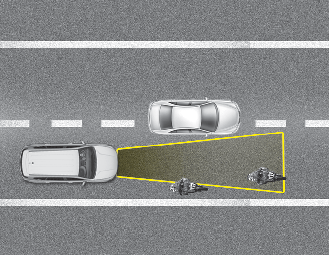
Some vehicles in your lane cannot be recognized by the sensor:
-
Narrow vehicles such as motorcycles or bicycles
-
Vehicles offset to one side
-
Slow-moving vehicles or suddendecelerating vehicles
-
Stopped vehicles
-
Vehicles with small rear profile such as trailers with no loads
A vehicle ahead cannot be recognized correctly by the sensor if any of following occurs:
-
When the vehicle is pointing upwards due to overloading in the luggage compartment
-
While the steering wheel is operating
-
When driving to one side of the lane
-
When driving on narrow lanes or on curves
Apply the brake or accelerator pedal if necessary.
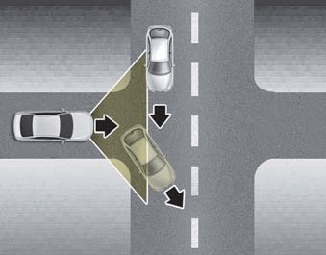
-
Your vehicle may accelerate when a vehicle ahead of you disappears.
-
When you are warned that the vehicle ahead of you is not detected, drive with caution.
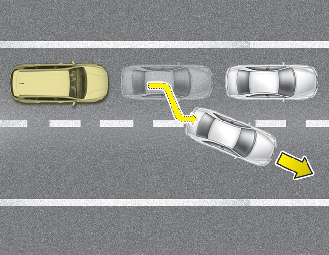
-
When driving in stop-and-go traffic, and a stopped vehicle in front of you merges out of the lane, the system may not immediately detect the new vehicle that is now in front of you. In this case, you must maintain a safe braking distance, and if necessary, depress the brake pedal to reduce your driving speed in order to maintain a safe distance.
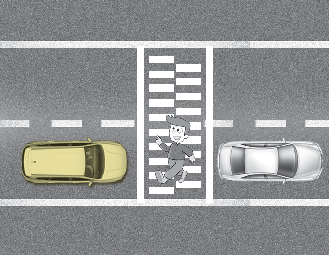
-
Always look out for pedestrians when your vehicle is maintaining a distance with the vehicle ahead.
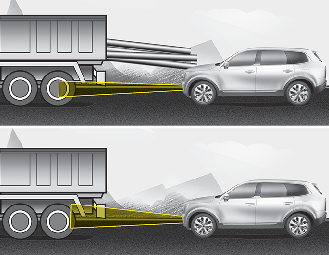
-
Always be cautious for vehicles with higher height or vehicles carrying loads that sticks out from the back of the vehicle.
When using the Smart Cruise Control take the following precautions:
-
If an emergency stop is necessary, you must apply the brakes. The vehicle cannot be stopped at every emergency situation by using the Smart Cruise Control system.
-
Keep a safe distance according to road conditions and vehicle speed. If the vehicle to vehicle distance is too close during a high-speed driving, a serious collision may result.
-
Always maintain sufficient braking distance and decelerate your vehicle by applying the brakes if necessary.
-
The Smart Cruise Control system cannot recognize a stopped vehicle, pedestrians or an oncoming vehicle. Always look ahead cautiously to prevent unexpected and sudden situations from occurring.
-
Vehicles moving in front of you with a frequent lane change may cause a delay in the system's reaction or may cause the system to react to a vehicle actually in an adjacent lane. Always drive cautiously to prevent unexpected and sudden situations from occurring.
-
Always be aware of the selected speed and vehicle to vehicle distance. The driver should not solely rely on the system but always pay attention to driving conditions and control your vehicle speed.
-
The Smart Cruise Control system may not recognize complex driving situations so always pay attention to driving conditions and control your vehicle speed.
-
Do not use smart cruise control when towing a trailer.
The Smart Cruise Control system may not operate temporarily due to:
-
Electrical interference
-
Modifying the suspension
-
Differences of tire abrasion or tire pressure
-
Installing different type of tires