
Detecting Sensor (Front view camera/Front radar)
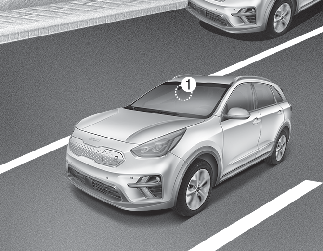
[1] : Front view camera
Front view camera is a sensor for detecting lanes and the front vehicles.
If the sensor is covered with dirt, snow or other foreign matter, the sensor’s detection performance will be degraded and Smart Cruise Control will be temporarily cancelled so that it does not properly work.
Always keep the area in front of the sensor clean.
For more information of front view camera, refer to More Details.
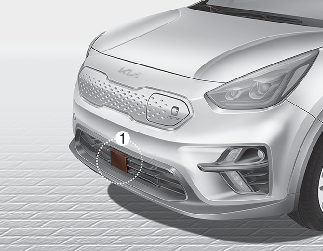
[1] : Front radar
Front radar detects the distance to the vehicle ahead.
If the sensor or sensor cover is covered with dirt, snow or other foreign matter, the sensor’s detection performance will be degraded and Smart Cruise Control will be temporarily cancelled so that it does not properly work.
Always keep the area in front of the sensor clean.
Warning message
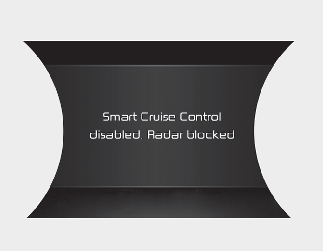
When the sensor cover is blocked with dirt, snow, or debris, Smart Cruise Control operation may stop temporarily. If this occurs, a warning message will appear on the LCD display. Remove any dirt, snow, or debris and clean the radar sensor cover before operating Smart Cruise Control. Smart Cruise Control may not properly activate, if the radar is totally contaminated, or if any substance is not detected after turning ON the vehicle (e.g. in an open terrain).
Smart Cruise Control malfunction message
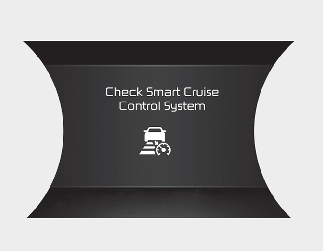
The message will appear when the vehicle distance control function is not functioning normally.
In this case, take your vehicle to an authorized Kia dealer and have the system checked.

-
Do not install accessories around the sensor and do not replace the bumper by yourself. It may interfere with the sensor performance.
-
Always keep the sensor and bumper clean.
-
Use only a soft cloth to wash the vehicle. Do not spray pressurized water directly on the sensor or sensor cover.
-
Be careful not to apply unnecessary force on the radar sensor or sensor cover. If the sensor is forcibly moved out of proper alignment, Smart Cruise Control may not operate correctly. In this case, a warning message may not be displayed.
Have the vehicle inspected by an authorized Kia dealer.
-
Do not damage the sensor or sensor area by a strong impact. If the sensor moves slightly off position, Smart Cruise Control will not operate correctly without any warning or indicator from the cluster. If this occurs, take your vehicle to an authorized Kia dealer and have the system checked.
-
Use only a genuine Kia sensor cover for your vehicle. Do not paint anything on the sensor cover.
-
If the front bumper becomes damaged in the area around the radar sensor, Smart Cruise Control may not operate properly.
-
To prevent sensor cover damage from occurring, wash the car with a soft cloth.
-
Do not tint the window or install stickers, accessories around the inside mirror where the camera is installed.
-
Make sure the frontal camera installation point does not get wet.
-
Do not place reflective objects (white paper or mirror etc.) on the crash pad. Forward Collision-Avoidance Assist may activate unnecessarily due to reflect of the sunlight.
-
Do not impact or arbitrarily remove any front view camera components.