
Safe Exit Warning (SEW) (if equipped)
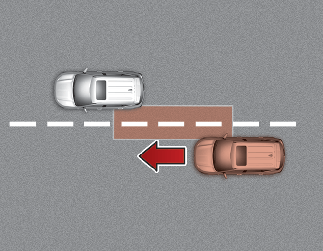
The "Check surroundings then try again" warning message appears on the cluster and a warning sounds.
When the function detects an approaching vehicle the moment a door is opened, the "Watch for traffic" warning message appears on the cluster and a warning sounds.
-
The above 2 and 3 functions are activated when you select 'Driver Assistance → Blind-Spot Safety → Safe Exit Assist' from the User Settings mode in the cluster LCD display.

-
Safe Exit Warning may not operate normally if there is any vehicle or obstacle at the rear area of your vehicle.
-
Safe Exit Warning may not operate normally when a vehicle is coming rapidly two lanes over from your vehicle or a vehicle is approaching at a fast speed from the rear in the lane next to your vehicle.
-
Safe Exit Warning may be activated later than normal or may not operate normally if a vehicle is approaching fast from the rear of your vehicle.
-
Safe Exit Warning will not operate if there is a malfunction with Blind-Spot Collision Warning as follows:
-
When Blind-Spot Collision-Avoidance Assist warning message appears.
When Blind-Spot Collision-Avoidance Assist sensor or the sensor surrounding is polluted or covered.
-
When Blind-Spot Collision-Avoidance Assist does not warn or warns wrongly.
-
For more details, refer to cautions and limitations in More Details and More Details.

-
The function does not detect every obstacle approaching the vehicle exit.
-
The driver and passenger are responsible for any obstacles while exiting the vehicle.
Always check the surrounding before you exit the vehicle.