
Driver Attention Warning setting and operation
Driver Attention Warning setting
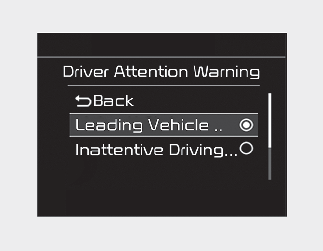
-
To turn ON Driver Attention Warning, turn on the engine, and then select "User Settings → Driver Assistance → Driver Attention Warning → Inattentive Driving Warning" on the LCD display or infotainment function display.
-
The set-up of Driver Attention Warning will be maintained, as selected, when the engine is re-started.
Warning Timing
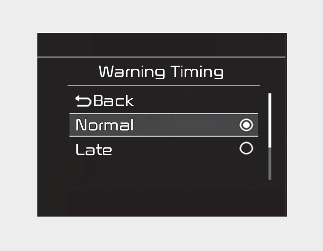
The driver can select the initial warning activation time in the User Settings in the LCD display or infotainment function display by selecting 'User Settings → Driver Assistance → Warning Timing'. The options for the initial Inattentive Driving Warning includes the following:
-
Normal: Driver Attention Warning helps warn the driver of his/her fatigue level or inattentive driving practices faster than Late mode.
-
Late: Driver Attention Warning helps warn the driver of his/her fatigue level or inattentive driving practices later than Normal mode.

Other driver assistance functions like Forward Collision-Avoidance Assist, etc. can be changed when warning time setting is changed.
Display of the driver's attention level
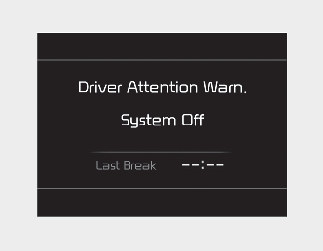
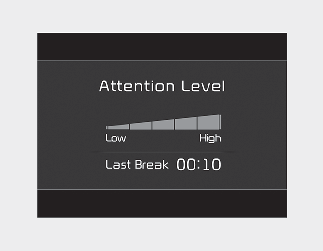
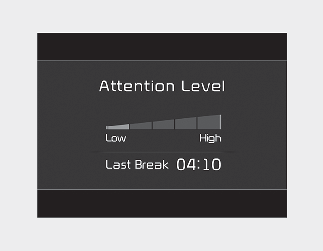
-
The driver can monitor his/her driving conditions on the cluster LCD display.
Driver Attention Warning screen will appear when you select the Driving Assist mode tab (
 ) on the LCD display if the function is activated. For more details, refer to More Details.
-
The driver's attention level is displayed on the scale of 1 to 5. The lower the level is, the more inattentive the driver is.
-
The level decreases when the driver does not take a break for a certain period of time.
-
The level increases when the driver attentively drives for a certain period of time.
-
When the driver turns on the function while driving, it displays 'Last Break time' and level.
Take a break
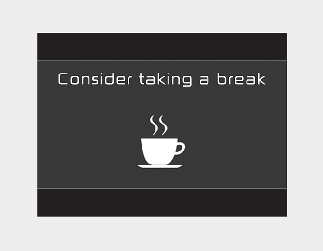
-
The "Consider taking a break" message appears on the cluster LCD display and a warning sounds to suggest that the driver take a break, when the driver's attention level is below 1.
-
Driver Attention Warning will not suggest a break, when the total driving time is shorter than 10 minutes and also does not recommend an additional break within 10 minutes after a break.