
Rear Cross-Traffic Collision Warning setting
-
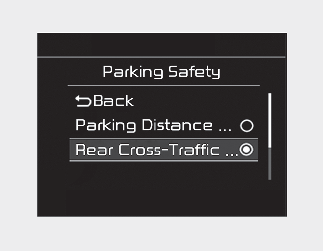
The driver can activate the functions by placing the ignition switch to the ON position and by selecting "User Settings → Driver Assistance → Parking Safety → Rear Cross-Traffic Safety". Rear Cross-Traffic Collision Warning turn on and get ready to be activated when 'Rear Cross-Traffic Safety' is selected.
-
When the engine is turned off then on again, the functions are always ready to be activated.
-
When the function is initially turned on and when the engine is turned off then on again, the warning light will illuminate for 3 seconds on the outside rear view mirror.
Warning Timing
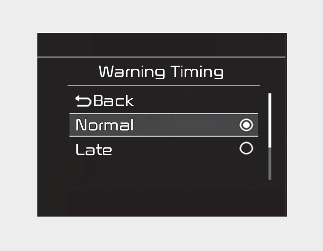
The driver can select the initial warning activation time in the User Settings in the LCD display by selecting 'User Settings → Driver Assistance → Warning Timing'.
The options for initial Rear Cross-Traffic Collision Warning includes the following:
-
Normal: When this condition is selected, initial Rear Cross-Traffic Collision Warning is activated normally. If this setting feels sensitive, change the option to 'Late'.
The warning activation time may feel late if the a vehicle at the side or rear abruptly accelerates.
-
Late: Select this warning activation time when the traffic is light and you are driving in a low speed.

If you change the warning timing, the warning time of other functions may change. Always be aware before changing the warning timing.
Warning Volume
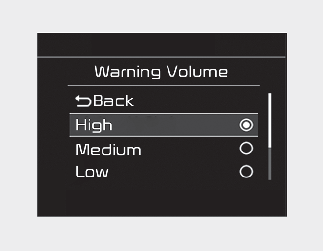
The driver can select the warning volume of Rear Cross-Traffic Collision Warning by selecting 'User Settings → Driver Assistance → Warning Volume → High/ Medium/Low'.
If you change the warning volume, the warning volume of other functions may change. Always be aware before changing the warning volume.