
Trip information (Trip computer)

Some driving information stored in the trip computer resets if the battery is disconnected.
Trip Modes
To change the trip mode, scroll the toggle the switch ( /
/  ) on the steering wheel.
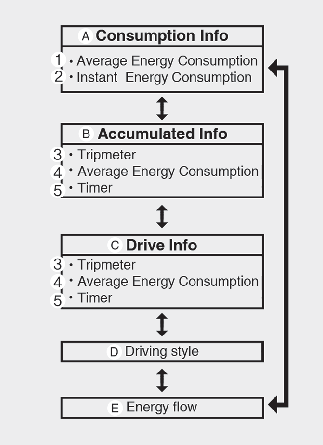
A: Consumption Info
B: Accumulated Info
C: Drive Info
D: Driving style
E: Energy flow
1: Average Energy Consumption
2: Instant Energy Consumption
3: Tripmeter
4: Average Energy Consumption
5: Timer
Consumption info display
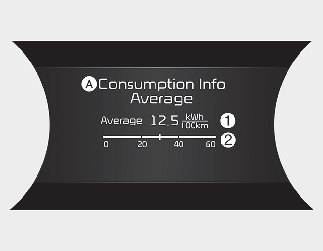
A: Consumption Info
The average energy consumption is calculated by the total driving distance and the high voltage battery consumption since the last average energy consumption reset.
Resetting Average Energy Consumption
To automatically reset the average energy consumption select either menu from the infotainment system screen.
-
At vehicle start: The average energy consumption will reset automatically whenever it has passed 4 hours after turning OFF the vehicle.
-
After refueling: The average energy consumption will reset automatically when driving speed exceeds 1 km/h (1 mph), after recharging more than 10%.
-
Manually: Average Energy Consumption will not be reset.
The vehicle must be driven for a minimum of 300 meters (0.19 miles) since the last ignition key cycle before the average energy consumption will be recalculated.
-
The instantaneous energy consumption is displayed according to the bar graph in the LCD display while driving.
Accumulated Info display
A: Accumulated Info
This display shows the accumulated trip distance (1), the average energy consumption (2), and the total driving time (3).
The information is accumulated starting from the last reset.
To reset the details, press and hold the OK button when viewing the Accumulated driving info. The trip distance, the average energy consumption, and total driving time will reset simultaneously.
The accumulated driving information will continue to be counted while the vehicle is in the ready ( ) mode (for example, when the vehicle is in traffic or stopped at a stop light).
The vehicle must be driven for a minimum of 300 meters (0.19 miles) since the last ignition key cycle before the average accumulated driving information is recalculated.
Drive Info display
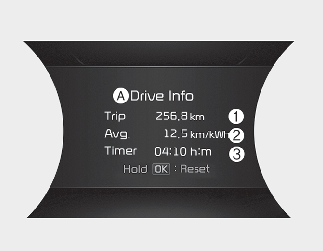
A: Drive Info
This display shows the trip distance (1), the average energy consumption (2), and the total driving time (3).
The information is combined for each ignition cycle. However, when the vehicle has been OFF for 4 hours or longer the Drive Info screen will reset.
The driving information will continue to be counted while the vehicle is in the ready () mode (for example, when the vehicle is in traffic or stopped at a stop light).
The vehicle must be driven for a minimum of 300 meters (0.19 miles) since the last ignition key cycle before the driving information is recalculated.
Energy flow
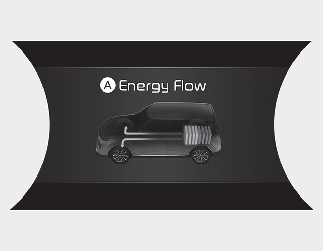
A: Energy flow
The electric vehicle system informs the driver its energy flow in various operating modes. While driving, the current energy flow is specified in 3 modes.
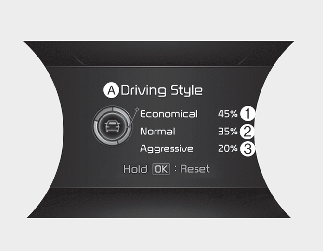
Driving style
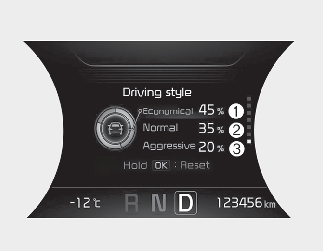
A: Driving style
This display shows whether the driver's driving style is Economical (1), Normal (2) or Aggressive (3).
-
To reset the details, press and hold the OK button when viewing the Driving style.