
Smart Cruise Control settings
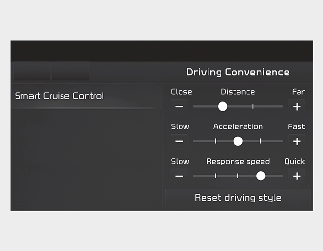
A: Driving Convenience
1 Smart Cruise Control
With the vehicle on, select Settings → Vehicle → Driver Assistance → Driving Convenience → Smart Cruise Control on the infotainment system to set the distance, acceleration and the reaction speed.
Warning volume
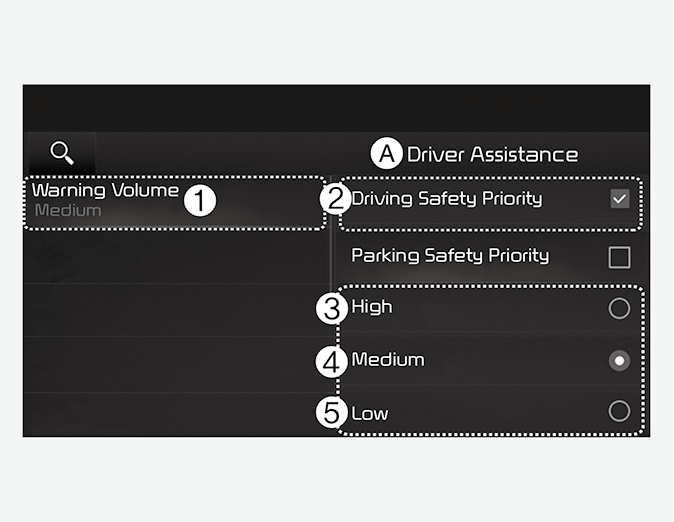
A: Driver Assistance
-
Warning Volume
-
Driving Safety Priority
-
High
-
Medium
-
Low
With the vehicle on, select Settings → Vehicle → Driver Assistance → Warning Volume on the infotainment system to change the Warning volume to adjust the Warning volume levels; High, Medium or Low.
If Driving Safety Priority is selected, the audio volume will temporarily decrease to warn the driver with the audible warning for safe driving.

-
If the vehicle is restarted, Warning Volume will maintain the last setting.
-
If you change the Warning Volume, the Warning Volume of other Driver Assistance systems may change.