
Heated steering wheel (if equipped)
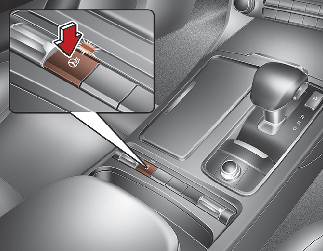
When the ENGINE START/STOP button is in the ON position, pressing the heated steering wheel button warms the steering wheel. The indicator on the button will illuminate.
To turn the heated steering wheel off, press the button once again. The indicator on the button will turn off.

The heated steering wheel will turn off automatically approximately 30 minutes after the heated steering wheel is turned on.
Auto Comfort Control (for driver’s seat) (if equipped)
The heated steering wheel automatically controls the steering wheel temperature depending on the ambient temperature when the engine is running. If the heated steering wheel switch is pushed, the heated steering wheel will have to be controlled manually.
The Auto Comfort Control is activated or deactivated when you select ‘Settings → Vehicle → Seat → Heated/Ventilated Features → Auto Comfort Control → Steering Wheel Warmer’ from the Settings menu in the Infotainment System screen.
The infotainment system may change after software updates. For more information, refer to the manual provided in the infotainment system and the quick reference guide.

-
Do not install any grip to operate the steering wheel. This causes damage to the heated steering wheel system.
-
When cleaning the heated steering wheel, do not use an organic solvent such as paint thinner, benzene, alcohol and petrol. Doing so may damage the surface of the steering wheel.
-
If the surface of steering wheel is damaged by sharp object, damage to the heated steering wheel components could occur.