
Lane Following Assist settings
Settings features
Turning Lane Following Assist On/Off
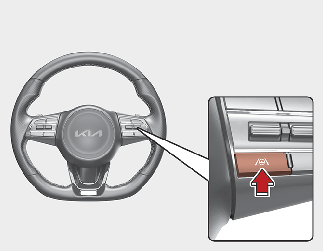
With the ENGINE START/STOP button in the ON position, press the Lane Driving Assist button  located on the steering wheel to turn on Lane Following Assist. The white or green (
 ) indicator light will appear on the cluster.
Press the button again to turn off the function.
Warning Volume
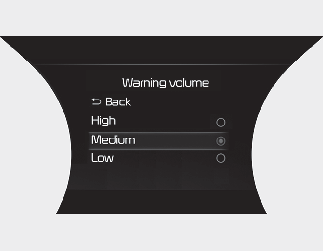
With the ENGINE START/STOP button in the ON position, select 'Driver Assistance → Warning Volume' from the 'User Setting (LCD display) or Setting → Vehicle (Infotainment System screen)' to change the Warning Volume to 'High', 'Medium' or 'Low' for Hands-off warning.If you change the Warning Volume, the Warning Volume of other Driver Assistance functions may change.

If your vehicle is equipped with additional Infotainment System, please scan the QR code in a separately supplied Car Infotainment System Quick Reference Guide.