
Smart Cruise Control settings
Settings features
Turning on Smart Cruise Control
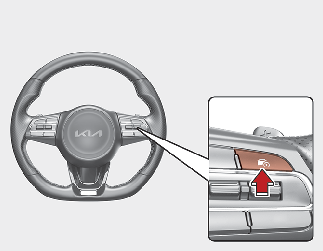
-
Press the Driving Assist
 button to turn on Smart Cruise Control. The speed will be set to the current speed on the cluster.
-
If there is no vehicle in front of you, the set speed will be maintained, but if there is a vehicle in front of you, the speed may decrease to maintain the distance to the vehicle ahead. If the vehicle ahead accelerates, your vehicle will travel at a steady cruising speed after accelerating to the set speed.

If your vehicle speed is between 0~ 30 km/h (0~ 20 mph) when you press the Driving Assist button, Smart Cruise Control speed will be set to 30 km/h (20 mph).
Setting Vehicle Distance
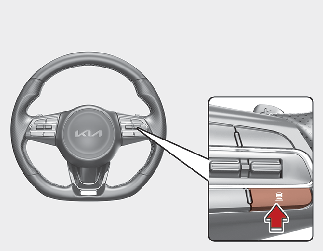
Each time the Vehicle Distance button is pressed, the Vehicle Distance changes as follows:
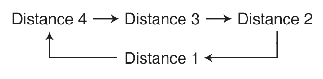
-
If you drive at 90 km/h (56 mph), the distance is maintained as follows:
-
Distance 4 - approximately 52.5 m (172 ft.)
-
Distance 3 - approximately 40 m (130 ft.)
-
Distance 2 - approximately 32.5 m (106 ft.)
-
Distance 1 - approximately 25 m (82 ft.)
-
-
The distance is set to the last set distance when the engine is restarted, or when Smart Cruise Control was temporarily cancelled.
Increasing the set speed
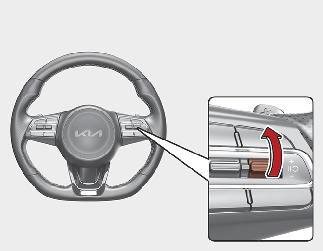
-
Push up the + switch, and release it immediately. The set speed will increase by 1 km/h (1 mph) each time the switch is operated in this manner.
-
Push up the + switch, and hold it whilst monitoring the set speed on the cluster. The set speed will increase by 10 km/h or 5 mph each time the switch is operated in this manner. Release the switch when the desired speed is shown, and the vehicle will accelerate to that speed. You can increase the set speed to 200 km/h (120 mph).

Check the driving condition before using the + switch. Driving speed may sharply increase when you push up and hold the + switch.
Decreasing the set speed
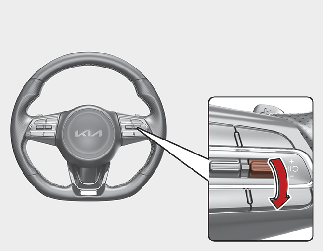
-
Push down the - switch, and release it immediately. The set speed will decrease by 1 km/h (1 mph) each time the switch is operated in this manner.
-
Push down the - switch, and hold it whilst monitoring the set speed on the cluster. The set speed will decrease by 10 km/h or 5 mph each time the switch is operated in this manner.
-
Release the switch at the speed you want to maintain. You can decrease the set speed to 30 km/h (20 mph).
Temporarily cancelling Smart Cruise Control
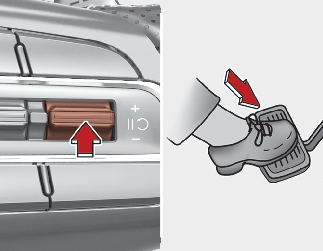
Press the  switch or depress the brake pedal to temporarily cancel Smart Cruise Control.
Resuming Smart Cruise Control
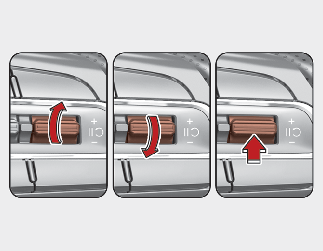
To resume Smart Cruise Control after the function was cancelled, push the +, - or switch. If you operate the + switch up or - switch down, vehicle speed will be set to the current speed on the cluster.If
you press the switch, vehicle speed will resume to the preset speed.
Check the driving condition before press the switch. Driving speed may sharply increase or decrease when you press the switch.
Turning off Smart Cruise Control
Press the Driving Assist button to turn Smart Cruise Control off.
If your vehicle is equipped with Manual Speed Limit Assist, press and hold the Driving Assist button to turn off Smart Cruise Control. However Manual Speed Limit Assist will turn on.