
Highway Driving Assist settings
Setting features
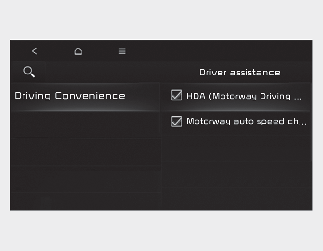
With the ENGINE START/STOP button in the ON position, select or deselect “Driver Assistance → Driving Convenience” from the “Settings → Vehicle (Infotainment System screen)” to set whether or not to use each function.
-
If 'HDA(Motorway Driving Assist' is selected, it helps maintain distance from the vehicle ahead, maintain the set speed, and keep the vehicle between lanes.

-
If there is a problem with the functions, the settings cannot be changed. We recommend that you have your vehicle inspected by an authorised Kia dealer/service partner.
-
If the engine is restarted, the functions will maintain the last setting.

For your safety, change the Settings after parking the vehicle at a safe location.
Warning Volume
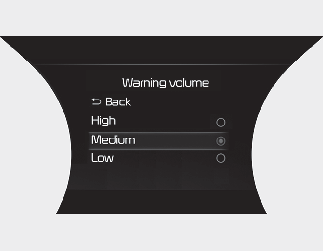
With the ENGINE START/STOP button in the ON position, select 'Driver Assistance → Warning Volume' from the “Settings → Vehicle” to change the warning volume to 'High', 'Medium', 'Low' for Highway Driving Assist.
If you change the warning volume, the warning volume of other Driver Assistance functions may change.