
Rear View Monitor settings
Camera Setting
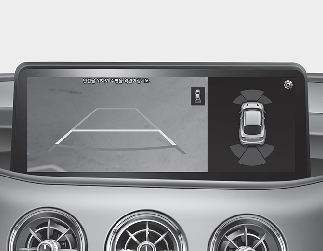
-
You can change Rear View Monitor settings by pressing the setup icon (
 ) on the screen whilst Rear View Monitor is operating, or select ‘Settings → Vehicle (Infotainment System screen) → Parking
Safety → Camera Settings’ from the Settings menu in the Settings in the Infotainment System screen whilst the ENGINE START/STOP
button is in the ON position.
) on the screen whilst Rear View Monitor is operating, or select ‘Settings → Vehicle (Infotainment System screen) → Parking
Safety → Camera Settings’ from the Settings menu in the Settings in the Infotainment System screen whilst the ENGINE START/STOP
button is in the ON position.
-
Parking assist rear view settings can be changed in the display information and the screen brightness/contrast value can be changed in the screen settings.

The image shown on the screen may differ from the actual distance of the object. Make sure to directly check the vehicle's surroundings for safety.

Always keep the Wide-rear view camera lens clean. If the lens is covered with foreign material, it may adversely affect camera performance and Rear View Monitor may not operate normally.