
Radio
Radio Mode
-
Plays Radio mode. Each time the button is pressed, the radio mode popup will be displayed or closed.
-
The radio mode popup will not be displayed when [SETUP] button ▶ [Display] ▶ [Mode popup] is turned [Off].
-
Searches the previous/next broadcast frequencies.
-
Pressing the button: Searches broadcast frequencies.
-
Frequency is controlled by 1 step quickly. When the button is released after pressing and holding, searches broadcast frequencies.
-
-
Changes frequency by turning the knob left/right. You can seek available frequencies manually.
-
Pressing the button: Plays the frequency saved in the corresponding button.
-
Pressing and holding the button: Saves the currently playing broadcast to the selected button and sound a BEEP.
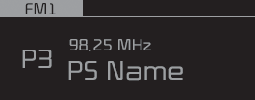
FM/AM (with RDS)
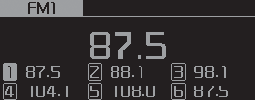
FM/AM (without RDS)
Displays Menu Popup when pressing the [MENU] button.
Saves broadcasts with superior reception to [1] ~ [6] buttons. If no frequencies are received, then the most recently received frequency will be broadcast.
The broadcast frequency increases and previews each broadcast for 5 seconds each. After scanning all frequencies, returns and plays the current broadcast frequency.
Moves to Sound Settings.
TA (Traffic Announcement) featureOn/Off.
Displays saved presets.